In today’s digital world, productivity software has become an important part of professional and personal work management. Businesses, freelancers, students, and remote teams use productivity tools to organize tasks, improve communication, manage projects, and increase efficiency. In 2026, workflow management is more important than ever because modern workplaces rely heavily on digital collaboration and automation.
Productivity software helps users complete tasks faster and more accurately by reducing manual effort and improving organization. These tools provide features like task management, scheduling, communication, cloud storage, and workflow tracking. Whether it is a small business or a large company, the right productivity software can improve teamwork and overall performance.
As remote and hybrid work models continue to grow, companies are investing more in smart workflow solutions that help employees stay connected and productive from any location.
What Is Productivity Software?

Productivity software refers to digital applications designed to help individuals and teams manage work efficiently. These tools simplify daily operations by organizing tasks, tracking progress, automating repetitive activities, and improving collaboration.
Modern productivity platforms combine multiple features into one system, allowing users to manage projects, documents, communication, and schedules from a single dashboard. This improves workflow visibility and reduces confusion in workplaces.
| Software Type | Main Purpose |
|---|---|
| Task Management | Organize and track work |
| Collaboration Tools | Improve team communication |
| Cloud Storage | Store and access files |
| Scheduling Software | Manage meetings and deadlines |
Productivity software is now widely used in businesses because it saves time and increases operational efficiency.
Importance of Workflow Management

Workflow management is the process of organizing and managing tasks to ensure smooth and efficient work completion. Poor workflow systems often create delays, communication gaps, missed deadlines, and reduced productivity.
Using productivity software helps businesses maintain structure and transparency in daily operations. Employees can track progress, understand responsibilities, and collaborate more effectively.
Efficient workflow management also improves accountability because managers can monitor tasks and project performance in real time. This creates better coordination among team members and helps businesses achieve goals faster.
Trello for Simple Workflow Management
Trello is one of the most beginner-friendly productivity tools available today. It uses a visual board system where users can create tasks, assign deadlines, and track project progress easily.
The drag-and-drop interface makes Trello simple to use, even for people with limited technical knowledge. Teams can organize projects into boards, lists, and cards, making workflow management more visual and structured.
Trello is especially useful for startups, content creators, students, and small businesses because it simplifies project organization without adding complexity.
| Trello Feature | Benefit |
|---|---|
| Visual Boards | Easy task tracking |
| Drag-and-Drop System | Faster workflow management |
| Team Collaboration | Better communication |
Its clean interface helps users stay organized and focused on priorities.
Asana for Advanced Project Management
Asana is a powerful productivity platform designed for businesses handling multiple projects and larger teams. It allows users to assign tasks, set priorities, track deadlines, and monitor workflow progress efficiently.
One of Asana’s strongest features is workflow automation. Teams can automate repetitive tasks, reducing manual work and improving productivity. The platform also offers timeline views and reporting tools that help managers monitor project performance.
Asana improves coordination among teams and ensures everyone stays aligned with project goals. Businesses using Asana often experience better project completion rates and improved workflow efficiency.
Notion as an All-in-One Productivity Tool

Notion has gained massive popularity because it combines note-taking, task management, databases, and collaboration into one platform. It allows users to customize workspaces according to their personal or business needs.
Many professionals prefer Notion because it reduces the need for multiple software tools. Teams can create project plans, manage documents, track tasks, and organize information within a single workspace.
Notion is highly flexible and works well for students, remote teams, writers, marketers, and business professionals. Its organized structure improves workflow clarity and information management.
Microsoft Teams for Communication and Collaboration
Communication is one of the most important parts of workflow management, and Microsoft Teams is among the leading collaboration tools for businesses. It combines messaging, video meetings, file sharing, and team collaboration in one platform.
The software integrates smoothly with Microsoft Office applications, making document sharing and editing more efficient. Employees can collaborate on files in real time without switching between multiple platforms.
Microsoft Teams has become highly popular in corporate environments because it supports remote work and improves workplace communication.
Slack for Faster Team Communication
Slack reduces email dependency by enabling instant messaging and quick information sharing. Teams can also integrate Slack with tools like Google Drive, Zoom, and Trello for better workflow management.
The platform is widely used by technology companies, startups, and remote teams because of its speed and flexibility.
Slack is another highly popular productivity platform focused mainly on communication and collaboration. It organizes workplace conversations into channels, helping teams manage discussions according to departments, projects, or topics.
Google Workspace for Cloud Productivity
Google Workspace provides cloud-based productivity tools such as Google Docs, Google Sheets, Google Meet, and Google Drive. These applications help teams collaborate in real time from different locations.
One major advantage of Google Workspace is that multiple users can edit the same document simultaneously. Changes are saved automatically, reducing the risk of data loss.
| Google Workspace Tool | Function |
|---|---|
| Google Docs | Document collaboration |
| Google Sheets | Spreadsheet management |
| Google Drive | Cloud storage |
| Google Meet | Video meetings |
Google Workspace is ideal for businesses and individuals who prefer flexible and cloud-based workflow systems.
Benefits of Productivity Software
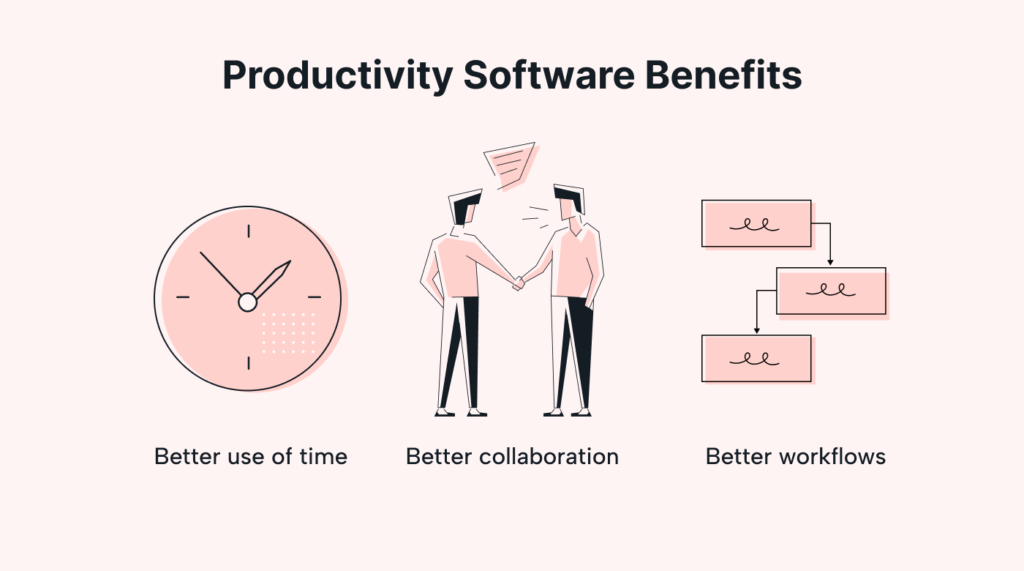
Productivity software offers several advantages that improve both individual and organizational performance. Businesses can complete projects faster, improve communication, and reduce workflow confusion through proper software management.
Major Benefits
- Better organization and workflow tracking
- Improved team collaboration
- Faster communication and project updates
- Reduced manual and repetitive work
These benefits help companies improve efficiency while maintaining better coordination among employees.
Challenges of Productivity Tools
Although productivity software improves efficiency, excessive use of multiple tools can sometimes create complications. Employees may struggle with managing too many notifications, platforms, or overlapping systems.
Businesses should choose software according to their workflow requirements instead of installing unnecessary applications. Proper employee training is also important to ensure software is used effectively.
Another challenge is data security. Since many productivity tools operate through cloud systems, businesses must ensure strong cybersecurity practices to protect sensitive information.
Future of Productivity Software

The future of productivity software is becoming more advanced with artificial intelligence and automation technologies. AI-powered tools are now helping users automate tasks, generate reports, summarize meetings, and improve workflow efficiency.
Voice-based assistants, smart scheduling systems, and predictive workflow management are expected to become more common in the coming years. These innovations will continue transforming the way businesses and individuals manage work.
As workplaces become more digital, productivity software will remain an essential part of workflow management and business growth.
Conclusion
Productivity software has become essential for managing modern workflows efficiently. Tools like Trello, Asana, Notion, Microsoft Teams, Slack, and Google Workspace help businesses and individuals organize work, improve communication, and increase productivity.
The right productivity platform can simplify project management, reduce manual effort, and improve collaboration among teams. However, businesses should select software carefully according to their workflow needs and avoid unnecessary complexity.
In 2026, companies that effectively use productivity software are better prepared for digital work environments and long-term success.