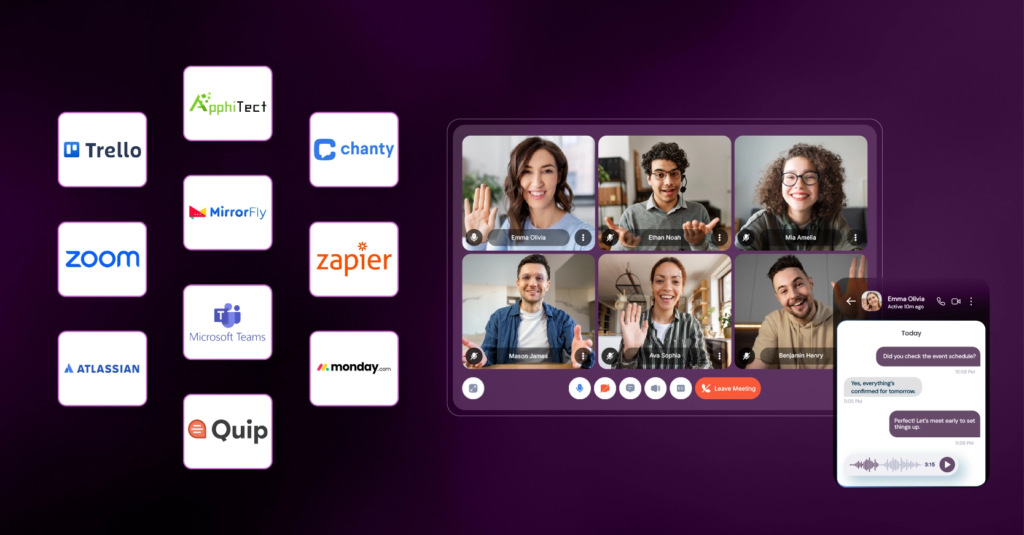

Great teamwork doesn’t happen simply because Collaboration everyone is working hard. It happens when people can share ideas, communicate clearly, manage responsibilities, and keep projects moving in the same direction. Whether a team works in an office, remotely, or across different locations, having the right collaboration tools can make all the difference.
Today, teams use digital platforms to chat, share files, organize projects, conduct virtual meetings, and work together on documents in real time. Instead of searching through long email threads or wondering who is responsible for a task, employees can use a shared workspace to find information, track progress, and coordinate their work.
Collaboration tools are especially valuable for small businesses, marketing teams, students, freelancers, and large organizations. They help people stay connected, reduce repetitive communication, and make teamwork more organized.
However, not every platform suits every team. Some tools focus on messaging, others specialize in project management, and some bring documents, meetings, and tasks together in one place. Choosing the right combination depends on your team’s size, workflow, budget, and communication needs.
What Are Collaboration Tools?
Collaboration tools are digital applications that help individuals work together toward a shared goal. They allow team members to communicate, exchange information, assign tasks, edit files, manage deadlines, and monitor project progress.
Some tools are designed for quick conversations, while others provide structured project boards, shared documents, video conferencing, or centralized knowledge libraries. Many modern platforms combine several of these capabilities.
For example, a content team might use a messaging platform to discuss article ideas, a project management tool to assign writing tasks, a shared document editor to review drafts, and cloud storage to keep approved images and files organized.
The purpose is simple: help everyone understand what needs to be done, who is responsible, and when the work should be completed.
Common Types of Collaboration Tools
| Tool category | Main purpose | Best suited to |
|---|---|---|
| Team messaging | Quick conversations and updates | Daily communication |
| Video conferencing | Meetings, presentations, and discussions | Remote and hybrid teams |
| Project management | Tasks, deadlines, and progress tracking | Coordinating projects |
| Document collaboration | Editing and reviewing files together | Reports, articles, and proposals |
| Cloud storage | Sharing and organizing files | Teams handling many documents |
| Digital whiteboards | Brainstorming and visual planning | Creative and strategy sessions |
| Knowledge management | Storing procedures and team information | Documentation and onboarding |
Understanding these categories makes it easier to choose tools that solve real problems instead of adding more applications to your workflow.
Best Collaboration Tools to Consider in 2026
Different teams need different tools. A content team may prioritize shared documents and approval workflows, while a software team may need detailed task tracking, code reviews, and technical discussions.
Here are some widely used options and the work they are designed to support. Asana+2
Slack features: Team collaboration tools | Slack
1. Slack
Best for organized team communication. Channels help keep discussions separated by project, department, or topic, while integrations connect conversations with other workplace apps. It can be useful for teams that need frequent updates without relying entirely on email.
Website: Slack
Microsoft Teams – Hub for Teamwork & Online Meetings | Geosoft Cloud
2. Microsoft Teams
Best for organizations using Microsoft 365. It brings chat, meetings, file collaboration, and team communication together, making it a practical option for workplaces that already use Microsoft applications.
Website: Microsoft Teams
Outsource: Campaign Coordination | HireSava
3. Asana
Best for teams managing multiple projects and deadlines. It helps organize tasks, assign responsibilities, track progress, and coordinate work across departments.
Website: Asana
Full Service eCommerce Agency: Shopify, Magento, BigCommerce – Netalico
4. Trello
Best for simple, visual task management. Its boards, lists, and cards help teams see what is planned, in progress, and completed without needing a complicated project system.
Website: Trello
Collaborative Content Workflow Management
5. Google Workspace
Best for sharing and editing documents, spreadsheets, presentations, and calendars. Team members can collaborate on supported files and keep work organized in a shared cloud environment.
Website: Google Workspace
Ferramenta para Criar Squadron Sinóticos Online | Miro
6. Miro
Best for brainstorming, workshops, diagrams, and visual planning. It gives teams a shared canvas for developing ideas and mapping out processes.
Website: Miro
Las platform colaborativas, los nuevos edificios virtuales de las empresas – Forbes Argentina
7. Zoom
Best for video meetings, screen sharing, presentations, and discussions with remote participants. It is especially useful when a conversation is easier to resolve live than through a long message thread.
Website: Zoom
These tools are not direct substitutes for one another. Many teams combine a communication platform with a project tracker and a shared document system. Before adopting a new tool, check its current plans, integrations, permissions, and feature limits.
Key Benefits of Collaboration Tools
The right collaboration platform can improve more than communication. It can create a clearer working process, help teams manage responsibilities, and make important information easier to find.
1. Better Communication and Fewer Delays
When discussions are organized by project or topic, team members can find relevant updates without searching through long email chains. Messaging, comments, and shared files help keep conversations connected to the work itself.
Not every question requires a meeting, either. Short written updates or recorded screen explanations can help people in different time zones stay informed without interrupting one another.
2. Clear Task Ownership
Projects often slow down when everyone assumes someone else is handling a task. Collaboration platforms help teams assign owners, set deadlines, and track progress.
For example, a marketing campaign can be divided into research, writing, design, review, and publishing. Each stage can have a responsible person and a due date, giving the team a shared view of what remains to be done.
3. Easier File Sharing and Document Reviews
Shared documents reduce the confusion that comes from sending multiple versions of the same file. Instead of emailing separate copies named “final,” “final-new,” and “final-approved,” teams can work from a common document where supported features allow real-time editing and comments.
Access permissions still matter. Sensitive files should only be available to people who need them, and important documents should have clear naming and version-control practices.
4. Improved Productivity and Accountability
Project boards, shared calendars, and progress updates help people understand priorities and spot potential delays early. Some platforms also offer automation, reminders, and AI-assisted summaries that reduce routine administrative work.
However, installing collaboration software does not automatically make a team productive. The tools need clear processes, realistic deadlines, and consistent use.
How Different Teams Can Use Collaboration Tools
Collaboration software becomes more useful when it supports the actual workflow of a team rather than forcing everyone into the same routine.
How to Start Brand Content Creation in Less Than an Hour – ELMNTL
| Team | Practical application | Useful features |
|---|---|---|
| Content and marketing | Plan blogs, scripts, campaigns, and approvals | Shared documents, task boards, comments |
| Sales | Track leads, coordinate follow-ups, and share updates | Messaging, CRM integrations, reminders |
| Software development | Coordinate issues, releases, and technical discussions | Task tracking, code integrations, documentation |
| Human resources | Organize onboarding and internal policies | Shared checklists, calendars, knowledge bases |
| Education | Share assignments and coordinate group projects | Video meetings, collaborative documents |
| Remote teams | Maintain communication across locations | Async updates, video calls, shared workspaces |
For example, a content team could use a project board to track every blog from topic research to publishing. Writers could collaborate in a shared document, designers could upload visuals to a central folder, and reviewers could leave feedback before the final article goes live.
This approach makes responsibilities visible and reduces the chance of work being overlooked.
How to Choose the Right Collaboration Tool
The best platform is not necessarily the one with the most features. It is the one your team can use consistently without creating unnecessary complexity.
Consider These Five Factors
1. Team size and working style: A small group may only need shared documents and a simple task board, while a large organization may require advanced permissions, reporting, and administration.
2. Ease of use: Choose a platform that team members can learn quickly. A powerful tool that nobody updates is less useful than a simple tool everyone understands.
3. Integrations: Check whether the platform connects with your existing email, calendar, storage, design, or project management applications.
4. Budget and scalability: Compare free-plan limits, paid features, storage, and per-user costs. Calculate the cost for your entire team rather than looking only at the advertised starting price.
5. Security and privacy: Review access controls, authentication options, data handling, retention policies, and any compliance requirements relevant to your organization.
A Quick Comparison by Need
| If your priority is… | Start by exploring… |
|---|---|
| Team conversations | Slack or Microsoft Teams |
| Documents and shared files | Google Workspace |
| Simple visual task tracking | Trello |
| Complex project coordination | Asana |
| Visual brainstorming | Miro |
| Video meetings | Zoom |
This is a starting shortlist, not a definitive ranking. Compare the actual features and terms available to your team before choosing.
Common Collaboration Mistakes to Avoid
Even a well-designed platform can become frustrating when teams use it without agreed rules. A few simple practices can prevent digital collaboration from becoming another source of confusion.
- Using too many tools: Spreading discussions across several messaging apps makes information difficult to find. Choose a primary place for each type of work.
- Overloading chat channels: Important decisions can disappear in fast-moving conversations. Record key decisions in a shared document or project record.
- Creating unnecessary meetings: Use meetings for discussion, problem-solving, and decisions that benefit from live interaction. Share routine updates asynchronously when possible.
- Leaving tasks without owners: Every important action should have a clear person responsible and a realistic deadline.
- Ignoring notifications: Too many alerts can interrupt concentration. Set notification preferences and establish expectations for urgent messages.
- Sharing files carelessly: Check permissions before sharing confidential documents, customer information, or internal business data.
- Failing to review the workflow: Regularly check whether the tools are helping the team or creating unnecessary steps.
Important pointer: Establish a few simple team rules before introducing new software. Decide where tasks are tracked, where final files are stored, how quickly messages should receive responses, and how project decisions are documented.
Collaboration Tools and the Role of AI
AI is becoming an additional feature in many collaboration platforms. Depending on the product and subscription, AI capabilities may help summarize conversations, prepare meeting notes, draft messages, organize information, or identify action items.
These features can be particularly useful when a team has several ongoing projects and needs to catch up on discussions quickly. For example, an AI meeting assistant might produce a draft summary, allowing participants to spend less time writing notes.
However, AI-generated summaries can miss context, misattribute statements, or misunderstand decisions. A team member should review important notes before treating them as an official record. Organizations should also confirm that recording and AI processing comply with their privacy and consent requirements.
The best use of AI is to reduce repetitive administrative work while leaving people responsible for decisions, relationships, and final approvals.
A Simple Collaboration Workflow for Better Teamwork
A clear workflow can make collaboration tools more effective. The following process works for many content, marketing, and business projects.
Step 1: Define the goal
Write down the expected result, deadline, and people involved so everyone understands the objective.
Step 2: Break the project into tasks
Create manageable tasks, assign owners, and set deadlines in a shared project board.
Step 3: Communicate in the right place
Use chat for quick questions, shared documents for detailed feedback, and meetings for decisions that need discussion.
Step 4: Review progress
Check completed work, identify blockers, and update the team when timelines or requirements change.
Step 5: Close the project
Confirm approvals, store final files in the correct location, and record lessons that can improve future projects.
This process keeps collaboration focused on outcomes instead of simply increasing the number of messages, meetings, and notifications.
Frequently Asked Questions (FAQs)
1. What are collaboration tools used for?
Collaboration tools help teams communicate, share files, manage tasks, edit documents, hold meetings, and coordinate projects from one or more digital workspaces.
2. Which collaboration tool is best for small teams?
Trello, Google Workspace, Slack, and Microsoft Teams are useful starting points, depending on whether your team needs task tracking, shared documents, or communication. Compare available plans before deciding.
3. Are collaboration tools available for free?
Many platforms offer free plans or limited free access. Features such as advanced automation, additional storage, administrative controls, and AI capabilities may require paid subscriptions.
4. Can collaboration tools improve productivity?
Yes, when used effectively. They can make responsibilities clearer, reduce repeated communication, and keep files and project updates organized. Their impact depends on the team’s working habits and processes.
5. Are collaboration tools suitable for remote teams?
Yes. Messaging, video conferencing, shared documents, and asynchronous updates allow remote teams to work together across locations and time zones.