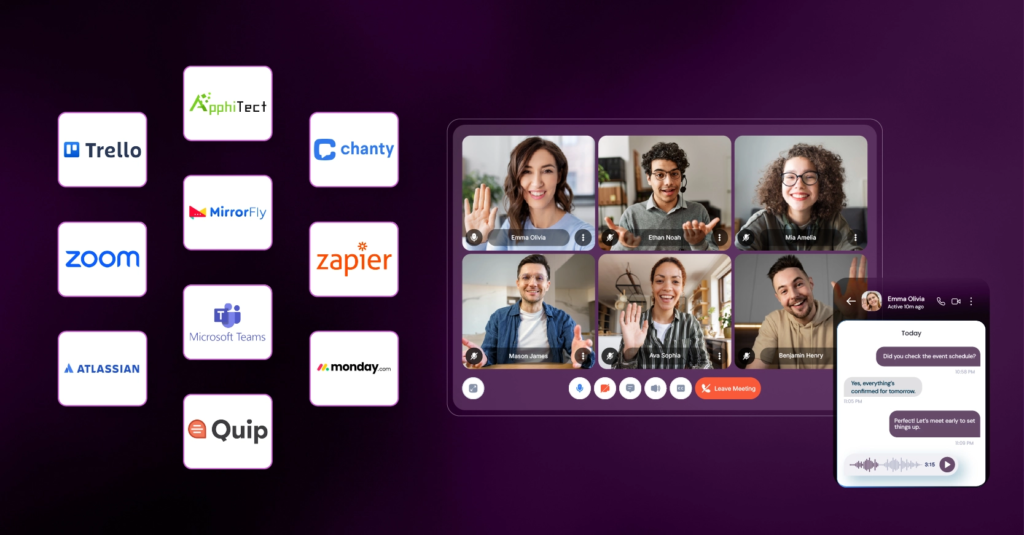
Modern work is no longer limited to people sitting in the same office. Teams Collaboration Tools can now work across cities, countries, and time zones while sharing files, discussing ideas, managing projects, and completing tasks online.
This is where collaboration tools become useful. They bring communication, file sharing, project management, meetings, and teamwork into digital spaces where people can work together more easily.
In 2026, collaboration tools are becoming more intelligent and connected. Many platforms now combine traditional teamwork features with AI-powered capabilities, helping teams organize information, summarize discussions, automate routine tasks, and keep projects moving.
What Are Collaboration Tools?
Collaboration tools are digital platforms or applications that help people communicate, share information, manage tasks, and work together.
Instead of relying only on emails and scattered documents, teams can use collaboration software to keep conversations, files, assignments, and project updates organized in one place.
Different tools serve different purposes. Some focus on messaging, while others are designed for video meetings, document collaboration, project management, design, or workflow automation.
The right combination depends on the way a team works.
Why Collaboration Tools Matter in 2026
Workplaces are becoming increasingly flexible. Some teams work entirely remotely, while others use hybrid arrangements where employees divide their time between home and the office.
This makes clear communication and easy access to information more important than ever.
A good collaboration system can help teams:
- Keep conversations organized
- Share files and documents
- Assign and track tasks
- Coordinate meetings
- Share project updates
- Collaborate on ideas
- Reduce repetitive communication
- Maintain better visibility into projects
The goal is not simply to use more software. It is to make teamwork easier and more organized.
Different Types of Collaboration Tools
Collaboration software covers a wide range of activities. Understanding the main categories can help teams decide what they actually need.
Team Communication Tools
Team communication platforms make it easier to have quick conversations without relying entirely on email.
Teams can create channels for different projects, departments, or topics. This keeps discussions separated and makes important information easier to find later.
These tools are particularly useful for distributed teams because employees can communicate without being in the same physical location.
Video Meeting Tools
Video conferencing has become a standard part of modern teamwork.
Teams can use video meeting platforms for project discussions, presentations, client meetings, interviews, training sessions, and one-on-one conversations.
Modern meeting tools may also include features such as automatic transcription, meeting summaries, searchable recordings, and AI-generated action items.
These features can reduce the amount of manual note-taking required after meetings.
Project Management Tools
Project management platforms help teams organize work into tasks, deadlines, priorities, and projects.
Instead of asking repeatedly for updates, team members can check a shared workspace to see what has been completed, what is in progress, and what still needs attention.
Many platforms provide different views, including task lists, boards, calendars, timelines, and dashboards.
Document Collaboration Tools
Documents often require input from several people.
Cloud-based document collaboration allows multiple team members to edit, review, comment on, and share documents without creating multiple versions of the same file.
This can be especially helpful for reports, presentations, content, planning documents, and other shared work.
Design and Creative Collaboration
Creative teams need collaboration tools that allow them to share concepts, review designs, leave comments, and manage revisions.
Design collaboration platforms can make feedback easier by allowing team members to comment directly on visual work rather than explaining every change through separate messages.
This can reduce confusion and make approval processes more structured.
AI Is Changing Team Collaboration

One of the biggest developments in collaboration software is the integration of artificial intelligence.
AI can help teams manage information that would otherwise require significant manual effort.
For example, AI can summarize a long meeting, identify action items, organize notes, draft messages, analyze documents, or help users find information inside a workspace.
Instead of replacing collaboration, these features can make it easier for people to focus on discussions and decisions.
However, AI-generated content should still be reviewed, especially when the information is important, sensitive, or business-critical.
How Collaboration Tools Improve Productivity
Productivity is not simply about completing more tasks. It is also about reducing unnecessary friction.
Imagine a team working on a campaign. Without a shared system, information may be spread across emails, spreadsheets, messaging apps, and individual notes.
A collaboration platform can bring many of those activities together.
A project might have a shared workspace containing:
Project brief → assigned tasks → deadlines → files → team discussion → progress updates → final approval
This structure gives everyone a clearer view of the work.
Better Communication Across Remote Teams

Remote teams face a unique challenge: employees cannot always walk over to someone’s desk to ask a quick question.
Collaboration tools help bridge that gap.
Team members can communicate through messages, comments, video calls, shared documents, and project updates.
However, more communication does not automatically mean better communication. Teams should establish simple guidelines about where different types of information belong.
For example, urgent matters might require direct communication, while project updates could remain inside the relevant project workspace.
Collaboration Tools for Content Teams
Content teams can benefit significantly from collaboration software.
A typical content workflow might involve:
Topic research → content planning → writing → editing → SEO review → approval → publishing
A collaboration platform can help assign each stage to the appropriate person and track progress.
Writers can share drafts, editors can provide feedback, SEO teams can add recommendations, and managers can review final content without relying on long email threads.
This makes the entire process easier to follow.
Collaboration Tools for Creators
Creators often work across multiple stages of production.
A single piece of content might require research, scripting, recording, editing, thumbnail creation, publishing, and performance analysis.
Collaboration tools can help creators organize these stages and coordinate with editors, designers, social media managers, or other team members.
Shared calendars and task boards can also make content planning more predictable.
Collaboration Tools for Businesses
Businesses can use collaboration platforms for many different departments.
Marketing teams can coordinate campaigns.
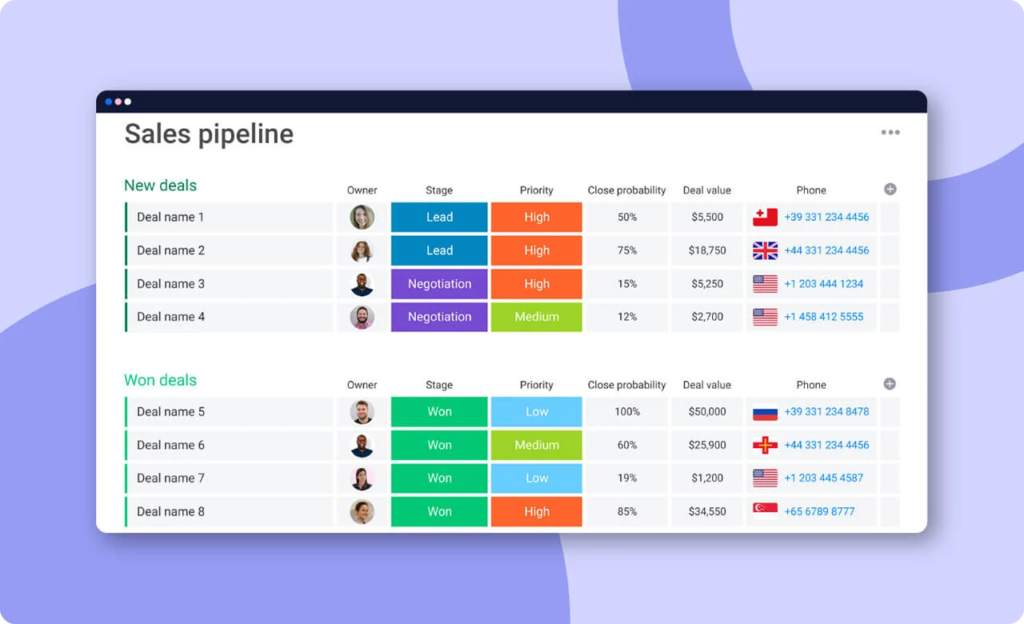
Sales teams can track leads and share customer information.
Product teams can organize development tasks.
Customer support teams can share updates and internal documentation.
HR teams can manage onboarding processes.
When teams use connected systems, information can move more smoothly between departments.
How to Choose the Right Collaboration Tool

Choosing a collaboration tool should begin with the team’s actual needs rather than the number of features a platform offers.
Identify the Main Problem
First, ask what is currently difficult.
Is communication scattered? Are deadlines being missed? Are files difficult to find? Is project progress unclear?
The answer can help determine what type of tool is most useful.
Consider Team Size
A small team may only need simple communication and task-management features, while a larger organization may require advanced permissions, administration, integrations, and reporting.
Check Integrations
A collaboration tool becomes more useful when it works well with the software your team already uses.
Look for integrations with calendars, cloud storage, communication platforms, project-management systems, or other important tools.
Consider Ease of Use
A tool with hundreds of features is not helpful if employees find it difficult to use.
A simple platform that the team actually adopts can be more valuable than a complicated system that people avoid.
Review Security and Privacy
Businesses should also consider how sensitive information is stored and shared.
Before choosing a platform, review its security features, access controls, data policies, and administrative options.
Avoiding Collaboration Overload

Using too many collaboration tools can create a new problem.
If one team uses email, another uses a messaging platform, another uses a project-management system, and important files are stored somewhere else, employees may spend more time searching for information.
This is sometimes called tool overload.
The solution is not necessarily to eliminate every platform. Instead, establish a clear purpose for each tool.
For example:
- Communication for quick discussions
- Project management for tasks and deadlines
- Cloud storage for important files
- Meetings for complex discussions
- Documentation for long-term information
Clear rules can make a digital workplace much easier to navigate.
The Future of Collaboration Tools
Collaboration platforms are becoming more connected and intelligent.
AI assistants, automated workflows, smart search, meeting summaries, document analysis, and intelligent task management are likely to become increasingly common features.
The future of collaboration may involve systems that understand project context and help teams move from discussion to action more quickly.
For example, a meeting could produce a summary, identify decisions, create action items, assign tasks, and update a project workspace automatically.
Human involvement will still matter. Teams need people to make decisions, provide context, review information, resolve disagreements, and determine priorities.
The technology can support the process, but effective collaboration ultimately depends on people working toward a shared goal.
Collaboration Tools 2026: Work Better Together With Smart Tools
Modern work is no longer limited to people sitting in the same office. Teams Collaboration…

Productivity 2026: Smart Strategies to Work Better & Faster
Being productive doesn’t mean filling every minute of the day with work. In 2026, productivity…

Tech Insights 2026: Latest Technology Trends & Innovations
Technology is no longer something that simply runs in the background. Tech Insights It is…

Remote Work Guide 2026: How to Stay Productive and Organized
Working remotely in 2026 isn’t just about sitting at your kitchen Remote Work Guide 2026:…

AI Tool Battles 2026: Compare the Best Tools Head-to-Head
You read a landing page, and it sounds incredible. You sign up, hand over your…

15 Smart Technology Trends to Watch in 2026
Smart technology is no longer just about connected devices—it is becoming the foundation of how…