Working remotely in 2026 isn’t just about sitting at your kitchen Remote Work Guide 2026: How to Stay Productive and Organized table with a laptop anymore. It has transformed into a lifestyle where you might start your morning at a neighborhood café, jump on a quick call from a shared workspace, or wrap up a major project while traveling in a totally new city. It offers incredible freedom, but let’s be completely real for a second—it can also be an absolute nightmare for your sanity if you don’t build proper boundaries.
When your living room doubles as your headquarters, the line between “at work” and “off the clock” vanishes fast. Distractions seem to crawl out of every single corner: the pile of unfolded laundry sitting in your peripheral vision, an endless stream of Slack pings, back-to-back meetings that definitely could have been simple emails, and that quiet, creeping guilt telling you that you should check your inbox late at night.
Staying productive without burning out takes way more than just raw willpower. It takes a practical, human-centered system that keeps your workload organized while giving your day enough room to breathe.
Here is a comprehensive guide to building a remote work routine that actually works for human beings, keeps your energy high, and helps you take back control of your schedule.
Set Up a Workspace That Tricks Your Brain Into Focus Mode

You don’t need a fancy home office setup, custom floating shelves, or an absurdly expensive ergonomic desk to make remote work work for you. What you do need is a physical boundary that acts as a signal to your brain, telling it, “Hey, whenever we sit down right here, it’s time to get stuff done.”
- Claim one specific spot in your space: Even if your workspace is just one corner of your dining table or a tiny desk tucked away in your bedroom, dedicate that exact footprint exclusively to work. Avoid working from your bed at all costs—your brain genuinely needs to associate your mattress with sleep, rest, and relaxation, not with tense emails or project deadlines.
- Keep all your tools within arm’s reach: Keep your laptop charger, notebooks, water bottle, pens, and headphones right at your desk before you sit down. When you have to constantly get up to hunt down a cable or grab a scrap piece of paper, you break your workflow and open the door for household distractions to hijack your focus.
- Don’t ignore your physical comfort: Pay real attention to your chair height, room lighting, and monitor placement. Straining your neck or sitting in a slouched position for eight hours straight will drain your physical energy way long before your actual workday officially ends.
Start Your Day With a Simple, Realistic Game Plan
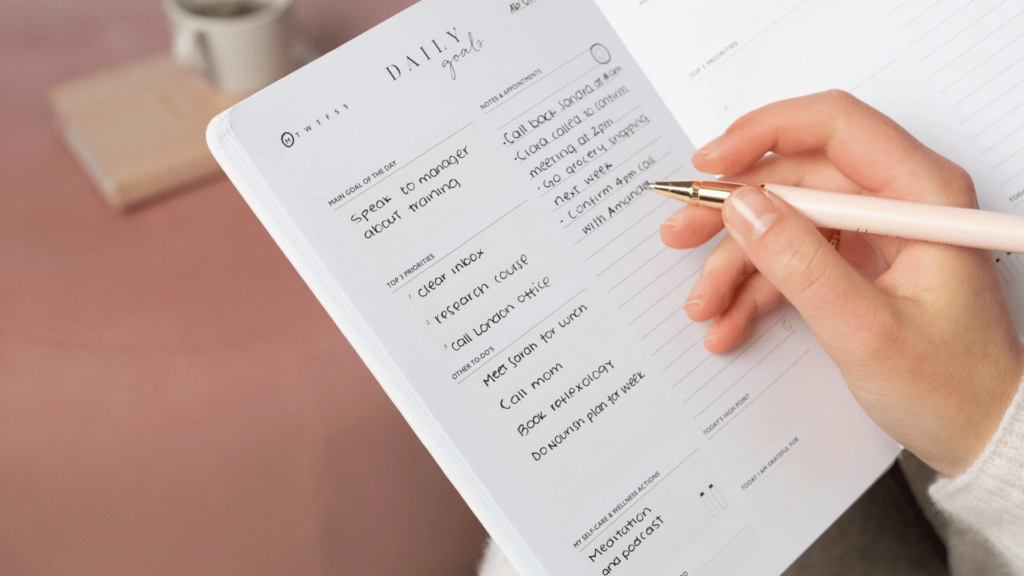
Without a simple plan, an open, unstructured day can spiral into chaos fast. It is frustratingly easy to spend three straight hours answering minor emails, organizing color-coded folders, and fixing digital clutter, only to reach 5:00 PM feeling like you accomplished absolutely nothing of real value.
- Ditch the endless to-do list: A list containing fifteen different items isn’t a strategy; it’s a giant guilt trip waiting to happen. Instead, pick two or three high-impact tasks that must get done today no matter what else happens.
- Tackle the heaviest lift early: Try doing your hardest, most complex task first thing in the morning when your mind is fresh and undisturbed. Once that big win is behind you, the remaining hours of your day will feel significantly lighter and less stressful.
- Write your plan down on physical paper: Keep your daily priorities on a real paper sticky note right next to your keyboard. Having that physical reminder sitting right in front of you acts as a visual anchor whenever digital notifications try to pull you off track.
Stop Work From Slowly Bleeding Into Your Personal Life
The biggest trap of remote work is that work slowly invades your personal time without you even realizing it. Because your laptop is always sitting right there on the counter, it’s incredibly tempting to answer “just one quick message” late at night or double-check your inbox right before heading to sleep.
- Set firm start and end times: Decide on exact hours for when your workday begins and ends, and do your absolute best to stick to them consistently. Routine helps your brain gear up for deep focus and down for rest.
- Be transparent with your team: Make sure your colleagues know your exact working hours, especially if you happen to collaborate across different time zones. Set your messaging app status to “Offline” or “Away” the moment you wrap up your day.
- Build an intentional shutdown ritual: At the end of the day, shut down your work browser tabs, close your laptop screen, and physically step away. Taking a quick 10-minute walk, changing into relaxing clothes, or cooking dinner serves as a fantastic mental bridge from work mode to personal mode.
Tame the Chaos of Digital Distractions

Constant digital alerts are total focus killers. Every single time a pop-up banner or notification chime interrupts your workflow, it takes your brain anywhere from ten to twenty minutes to regain deep focus on the original task you were handling.
| Distraction Source | Typical Daily Impact | The Human Fix |
| Slack / Teams Pings | Pulls your attention away every 5 minutes. | Mute alerts during 60-minute deep work blocks. |
| The Inbox Trap | Keeps you reacting to others instead of doing your own core tasks. | Schedule 2–3 specific times a day to check emails in bulk. |
| Phone Scrolling | Sneaks away 15–30 minutes here and there. | Keep your phone in another room while working on hard tasks. |
| Too Many Apps | Forces you to jump between 5 different software dashboards. | Pick one primary project app with your team and stick to it strictly. |
| Desktop Pop-ups | Breaks visual focus mid-thought during critical writing or coding. | Turn off system notification banners on your main desktop monitor. |
Simplify Your Tech Stack to Reduce Brain Strain
Technology is supposed to help us work smarter and faster, but using too many apps creates unnecessary friction. Constantly jumping between half a dozen team chats, task boards, and document platforms causes real mental fatigue known as context switching.
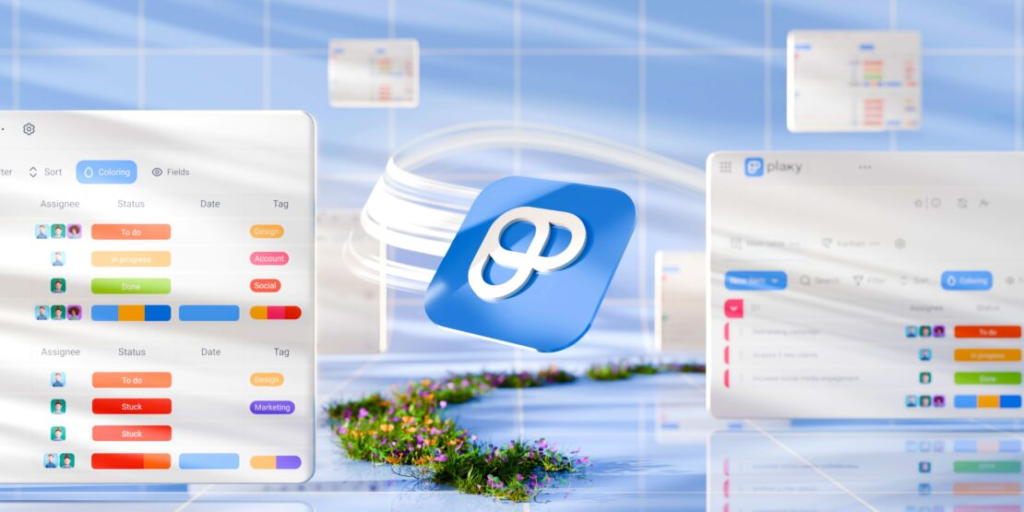
- Stick strictly to the core essentials: Most remote teams only need three basic tools to thrive: one for team messaging (like Slack), one for task tracking (like Trello or Notion), and a simple shared calendar for scheduling deadlines and meetings.
- Standardize tool usage with your team: Make sure everyone on your team agrees on how each software tool is used. For example, use project management boards for official status updates and team chat apps exclusively for casual, quick conversations.
- Stop chasing shiny new software: Don’t waste precious hours endlessly configuring new productivity platforms in the hope that a brand-new app will magically solve bad habits. Keep your digital workspace clean, minimal, and clear.
Embrace Short, High-Focus Work Sessions
Staring blankly at a screen for four straight hours doesn’t mean you’re being productive—it usually just means you’re exhausted and moving slowly. Working in short, intentional, high-focus bursts yields far better results with a fraction of the mental drain.
- Try timed focus blocks: Choose a single task and work on it for 25 to 50 minutes without looking at your phone, opening new browser tabs, or checking messages. When your timer goes off, step away for a quick break.
- Single-task relentlessly: Multitasking is a total myth. When you try to write an email, update a spreadsheet, and listen to a call simultaneously, you end up doing all three poorly. Give your undivided attention to one thing at a time.
- Match your tasks to your natural energy cycles: Pay attention to when your brain feels sharpest throughout the day. Protect those peak-energy hours for creative or deep analytical work, and save simple tasks (like clearing your inbox) for afternoon energy slumps.
Keep Communication Human, Empathetic, and Clear
Without body language, facial expressions, or voice tone, written text messages can be easily misunderstood. Writing clear, thoughtful messages saves everyone time, reduces unnecessary stress, and keeps remote teams running smoothly.
- Provide full context up front: When asking a colleague for help or submitting a draft for review, include all relevant links, context, and clear expectations in your initial message to avoid annoying back-and-forth messages.
- Know when to hop on a quick call: If a text conversation starts feeling confusing, convoluted, or tense, stop typing immediately. A quick 5-minute voice call clears up misunderstandings way better than twenty long paragraphs of text.
- Be explicit with deadlines: Replace vague phrases like “whenever you get a chance” or “as soon as possible” with clear, specific dates and times so your teammates can organize their workloads effectively.
Make Meetings Purposeful and Intentional
Unnecessary meetings are the ultimate drain on remote work days. When your calendar is packed wall-to-wall with back-to-back video calls, you have zero time left over to actually sit down and get real work done.
- Default to asynchronous updates: Before scheduling a new call, ask yourself: Can this topic be easily shared via a written summary, a shared document, or a quick recorded video walkthrough?
- Never hold a meeting without an agenda: Don’t join or host a meeting that doesn’t have a defined purpose. Outline the exact key topics to cover and the end goal of the call beforehand.
- Document action items immediately: Wrap up every call by clarifying who is taking care of what and by when. Document those key takeaways in a shared location so no one leaves the meeting guessing.
Take Real Breaks (No, Scrolling Social Media Doesn’t Count)

Stepping away from your computer desk isn’t slacking off—it’s essential cognitive maintenance. Pushing through hours of fatigue only leads to silly errors, brain fog, and burnout over time.
- Get completely away from all screens: A real break means giving your eyes and brain a break from glowing pixels. Step outside into the fresh air, stretch, grab a glass of water, or brew a fresh cup of tea.
- Incorporate light daily movement: Sitting in one spot all day leaves your body stiff and your mind sluggish. Taking a quick 10-minute walk around your neighborhood does absolute wonders for resetting your mental focus.
- Rest your eyes regularly: Practice the 20-20-20 rule to lower digital eye strain: every 20 minutes, take your eyes off your screen and stare at an object 20 feet away for at least 20 seconds.
Keep Your Digital Files Clean and Easy to Find
A messy computer desktop and disorganized cloud drive waste time and create subtle, constant background stress every single time you open up your file browser.
- Build a simple folder structure: Keep your file organization straightforward. Group your files by project name, client, or year, and avoid building deep hierarchies of confusing subfolders.
- Use clear, logical file naming rules: Name your files in a clear way so you can locate them easily using your system’s search bar months down the line (for example,
ClientName_Proposal_Draft_2026). - Do a weekly digital cleanup: Take five minutes every Friday afternoon to archive finished project files, empty your computer’s trash bin, and wipe out your cluttered Downloads folder.
Nurture Real Connections with Your Coworkers

Working remotely offers amazing flexibility, but it can also feel pretty isolating if you’re not careful. Building genuine human connections with your teammates helps maintain trust, morale, and job satisfaction.
- Make time for non-work chats: Take the first two minutes of a video call to ask your team how their week is going or what they’re up to outside of work.
- Give public shout-outs for great work: Send a quick appreciation message in your team chat when a colleague does a fantastic job or pushes a difficult project across the finish line. Small bits of recognition go a long way.
- Reach out when someone seems overwhelmed: If you notice a teammate is drowning in a heavy workload, offer to lend a hand. Simple acts of peer support create a healthy, supportive remote culture.
Learn the Art of Ruthless Task Prioritization
Busywork is easy to do, but high-impact work requires real energy and thought. Working smarter means learning how to separate truly urgent tasks from activities that just feel noisy.
- Focus on high-impact results: Direct your energy toward tasks that actively push projects forward, help your team hit primary targets, or solve real client problems.
- Learn to set polite boundaries: Protect your time by declining non-essential tasks or asking your manager to help re-prioritize your current workload when demands start piling up too high.
- Review your weekly output: At the end of every week, take five minutes to review what you actually got done. Pay attention to where your time went so you can adjust your habits for the upcoming week.
Create a Mindful Evening Routine to Reclaim Your Nights
Just like you need a routine to step into work mode, having a clear shutdown process is essential for reclaiming your personal evening hours.
- Review what got done: Spend the final ten minutes of your workday reviewing completed tasks and capturing any loose thoughts or unfinished business.
- Map out tomorrow’s plan: Write down your top two or three priorities for the next morning. When you know tomorrow is already planned out, your brain stops worrying about work while you rest.
- Log off and close up shop: Shut down your work tools, close your computer screen, put away your work gear, and step into your evening. You put in the work—now enjoy your off time!

Collaboration Tools 2026: Work Better Together With Smart Tools
Modern work is no longer limited to people sitting in the same office. Teams Collaboration…

Productivity 2026: Smart Strategies to Work Better & Faster
Being productive doesn’t mean filling every minute of the day with work. In 2026, productivity…

Tech Insights 2026: Latest Technology Trends & Innovations
Technology is no longer something that simply runs in the background. Tech Insights It is…

Remote Work Guide 2026: How to Stay Productive and Organized
Working remotely in 2026 isn’t just about sitting at your kitchen Remote Work Guide 2026:…

AI Tool Battles 2026: Compare the Best Tools Head-to-Head
You read a landing page, and it sounds incredible. You sign up, hand over your…

15 Smart Technology Trends to Watch in 2026
Smart technology is no longer just about connected devices—it is becoming the foundation of how…
Frequently Asked Questions
Q: How do I handle household distractions when working from home?
A: Set gentle but firm boundaries with the people you live with, use noise-canceling headphones as a clear visual “do not disturb” signal, and schedule your most demanding focus work for times when your home is naturally quiet.
Q: Is it normal to feel lonely or isolated while working remotely?
A: Absolutely, it is completely normal. To beat isolation, try scheduling casual virtual catch-ups with colleagues, work from a local coffee shop or co-working space once a week, and make sure to hang out with friends in person after your workday ends.
Q: How can I stop feeling guilty when I take breaks during the day?
A: Shift your mindset from hours spent glued to a desk to actual quality outcomes produced. Taking short, deliberate breaks keeps your energy sharp so you can deliver better work in less time without burning out.
Q: What is the single most important habit for long-term remote work success?
A: Establishing a strict end-of-day shutdown routine. Physically closing your laptop, turning off work notifications, and stepping away from your workspace is the ultimate key to maintaining clear boundaries and staying sane over the long haul.