You read a landing page, and it sounds incredible. You sign up, hand over your email address (or worse, your credit card for a “free trial”), and within ten minutes, you realize the tool can’t handle your basic workflow without breaking down, hallucinating fake facts, or spitting out generic text that sounds like a corporate textbook from 1998.
That is precisely why head-to-head AI battles have become essential.
Instead of evaluating a platform in a vacuum or taking sales copy at face value, direct side-by-side comparisons strip away the hype. They pit tools against each other under identical, real-world conditions so you can see which one actually delivers when the pressure is on.
Here is an honest, deep-dive breakdown of how AI tool battles work, why they matter, how to test them yourself, and how to cut through the noise to build a setup that actually saves you time instead of wasting it.
What Is an AI Tool Battle, Really?

Strip away the dramatic name, and an AI tool battle is simply a practical stress test.
It is the process of taking two or more competing AI platforms, giving them the exact same job to do, and watching how they handle it under real-world pressure.
We aren’t talking about synthetic benchmarks or raw processing metrics that sound impressive in a press release but mean nothing to your daily grind. A proper head-to-head battle looks at the stuff that actually makes or breaks your work day:
- Output Quality: Does the final result look, sound, or function like something created by a skilled human, or does it require two hours of heavy editing to fix?
- Ease of Use: Can you log in and get your task done in three clicks, or do you need to spend your entire lunch break reading community forums just to figure out how to navigate the interface?
- Speed and Responsiveness: Does the platform generate usable results in seconds, or do you sit there watching a pulsing loading wheel while your deadline ticks away?
- Reliability: Does the tool hit a home run every single time, or is it an erratic mess that gives you brilliance on Monday and complete gibberish on Tuesday?
- Real Cost vs. Value: Does the pricing structure make sense for what you get, or are you locked behind restrictive token limits and hidden paywalls the moment you try to do serious work?
The point of these battles isn’t to crown a single, undisputed champion of the entire tech world. That champion doesn’t exist. A tool that is absolute magic for a solo creative director might be completely useless for a corporate legal researcher.
The real goal of a tool battle is to help you find the right hammer for your specific nail.
Why Features on Paper Tell You Almost Nothing

If you buy software based purely on a feature matrix on a pricing page, you are going to get burned.
It happens all the time: Software A lists 45 features. Software B lists 15 features. On paper, Software A looks like an absolute steal. But once you open both apps, you realize Software A’s 45 features are clunky, half-baked, and annoying to use, while Software B’s 15 features are so hyper-polished and smooth that you finish your work in half the time.
Head-to-head comparisons reveal the operational friction points that marketing teams try very hard to hide.
1. The “Robotic Tone” Factor
Two writing assistants might both offer “one-click blog generation.” But when you run them side by side, Tool 1 spits out a dry, repetitive essay jammed with buzzwords like delve, testament, leverage, and tapestry. Tool 2 reads like a sharp, witty colleague who actually understands human conversational nuance. You only notice that difference when they tackle the exact same topic side by side.
2. The Illusion of Control
Some AI generators give you hundreds of sliders, knobs, and fine-tuning parameters. It feels empowering until you realize that tweaking those sliders yields completely unpredictable, chaotic results. Meanwhile, a simpler competitor with just three clear buttons consistently hits the mark. More features don’t always equate to a better experience.
3. Hidden Bottlenecks and Quotas
A platform might offer “unlimited generations,” but when put through a volume test, you suddenly notice the rendering speed drops to a crawl after your tenth request. Real-world head-to-head testing uncovers these hidden throttles before you commit your budget.
The 5 Core Categories Where Battles Are Winning (and Losing)

AI development moves fast, but most tools fall into five primary battlegrounds. Understanding what to look for in each category keeps you from falling for cheap gimmicks.
       AI BATTLEGROUNDS & KEY METRICS
 ┌─────────────────────────────────────────┐
 │ WRITING        -> Tone & Natural Flow   │
 │ IMAGES         -> Prompt & Spatial Sense│
 │ PRESENTATIONS  -> Layout & Content Depth│
 │ RESEARCH       -> Citation Accuracy     │
 │ PRODUCTIVITY   -> Workflow Integrations │
 └─────────────────────────────────────────┘
Category 1: AI Writing & Editing Tools
Writing was the first domain blown open by consumer AI, and it remains the most chaotic battleground. The core struggle here isn’t getting an AI to write words—it’s getting it to stop sounding like a generic corporate bot.
- What to watch for: Look at how well the tool maintains a consistent tone, handles context over long passages, and structures arguments without repeating itself.
- The Litmus Test: Give both tools a complex opinion piece or an empathetic customer service email. Pay attention to how many words you have to delete or rewrite. The tool that requires the fewest human interventions wins, period.
Category 2: AI Image Generators
Comparing image tools used to be about pure resolution. Today, high resolution is standard. The real battle has shifted to context, spatial logic, and prompt accuracy.
- What to watch for: How well does the generator understand complex instructions? If you ask for a “vintage copper kettle on a wooden table with morning light streaming from the left,” does it put the light on the left? Does the kettle actually look like copper, or did it render a plastic mess?
- The Reality Check: Pay attention to how the tool handles details like human hands, readable text inside images, and style consistency across multiple renders.
Category 3: AI Presentation Tools
Designing slides from scratch is a notorious time-sink. AI presentation builders promise to turn a rough outline into a polished pitch deck in under sixty seconds.
- What to watch for: Most low-tier presentation tools just dump bullet points onto pre-made graphic templates, leaving you with ugly, overlapping boxes you have to manually fix.
- The Differentiator: The top-tier tools intelligently restructure your content. They create custom diagrams, pick context-appropriate imagery, and adjust layouts dynamically based on how much text you actually have on the slide.
Category 4: AI Research & Discovery Tools
When you are researching market trends, legal precedents, or scientific papers, speed means nothing if the facts are wrong. “Hallucinations”—where an AI confidently makes up dates, quotes, or historical facts—are the ultimate enemy of research tools.
- What to watch for: You want absolute transparency. Does the tool link directly to real-world, clickable sources? Does it cite reputable papers, or is it pulling answers from obscure Reddit threads and SEO spam blogs?
- The Winner’s Edge: The best research platforms don’t just answer your question; they show their work, trace their steps, and let you verify every single claims with one click.
Category 5: AI Productivity & Workflow Automation
Productivity tools are supposed to act like an invisible assistant running in the background—summarizing meetings, organizing project boards, sorting emails, and connecting apps.
- What to watch for: Setup friction and reliability. If an automation tool breaks every time an external app updates its interface, it is creating work, not saving it.
- The Gold Standard: Look for tools that integrate smoothly into the apps you already use every day (like your inbox, calendar, or document editor) without forcing your whole team to adopt a completely new ecosystem.
How to Run Your Own Unbiased AI Tool Battle
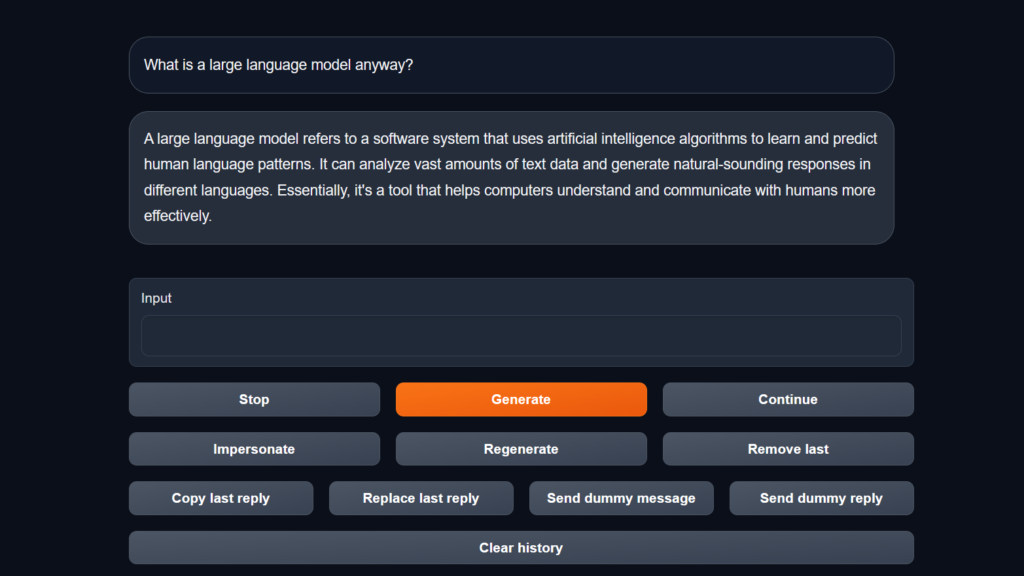
You don’t need a computer science degree or a laboratory setup to run a proper comparison. You just need a structured, fair testing method. If you want to compare two tools yourself, follow this step-by-step framework to keep your testing honest.
       FOUR-STEP TESTING FRAMEWORK
┌──────────────────────────────────────────┐
│ Step 1: Lock in ONE Specific Real Task   │
│ Step 2: Write ONE Master Prompt          │
│ Step 3: Compare Output (No Tweaking)     │
│ Step 4: Count the Minutes Saved          │
└──────────────────────────────────────────┘
Step 1: Isolate a Single, Real-World Task
Don’t use vague, hypothetical tests like “write a cool story” or “make a nice picture.” Use an actual task sitting on your to-do list right now.
- Bad test: “Summarize tech news.”
- Good test: “Take this 12-page PDF financial report and extract the top three Q3 risks for our operations team in under 200 words.”
Step 2: Use an Identical Master Prompt
Copy and paste the exact same prompt, background context, and formatting rules into both tools. Do not alter a single word or comma. If you give Tool A a detailed 100-word prompt and Tool B a quick 5-word summary, your test is ruined before it even starts.
Step 3: Evaluate the Raw, Unedited Output
This is where most people mess up. They look at a flawed output, spend ten minutes manually fixing it, and then say, “Hey, this looks pretty good!”
Force yourself to evaluate what the AI gave you on its first pass.
Ask yourself:
- Is the information factually accurate?
- Did it actually follow all of my instructions (length, tone, format)?
- Does it sound natural, or does it sound like a machine?
- Could I send this directly to a client or team member right now without feeling embarrassed?
Step 4: Measure the “Tweak Time”
If the raw output isn’t ready to use right away, keep a timer running while you clean it up. If Tool A gives you a rough draft that takes 3 minutes to polish, but Tool B gives you a draft that takes 20 minutes to heavy-edit, Tool A is your clear winner—even if Tool B’s landing page looked cooler.
Key Evaluation Criteria: A Quick-Reference Guide
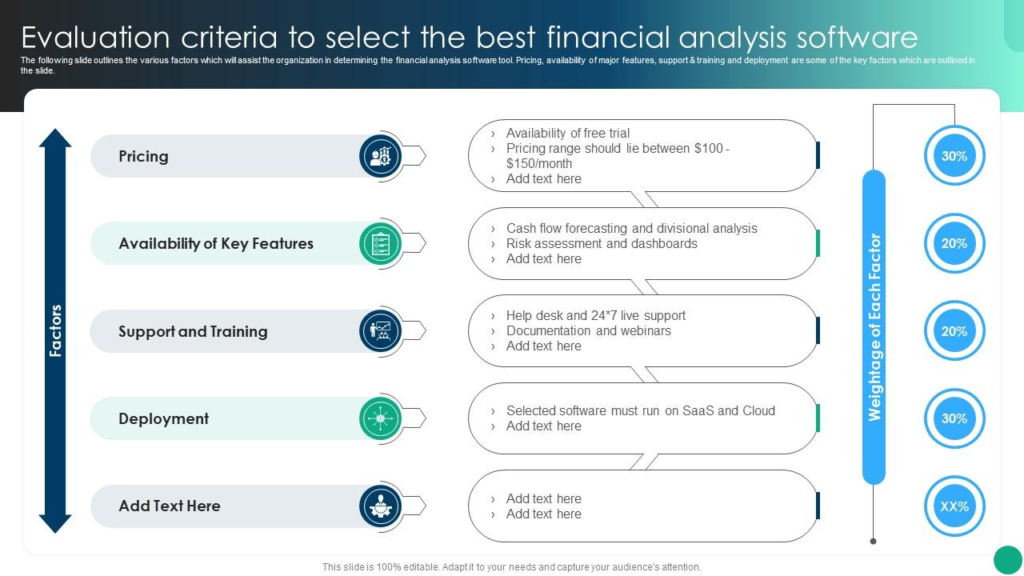
When comparing platforms, use this reference checklist to grade their real-world performance:
| Evaluation Criteria | What You Are Really Testing | Why It Matters | Red Flag to Avoid |
|---|---|---|---|
| Output Integrity | Does it follow complex instructions accurately? | Saves you from tedious back-and-forth prompt tweaking. | Ignores negative constraints (e.g., includes words you explicitly banned). |
| Context Memory | Does it remember earlier details in long conversations? | Essential for multi-step projects and deep revisions. | Forgets instructions given three messages ago. |
| UX & Friction | How easy is it to export, format, and share work? | Clunky UI turns simple tasks into frustrating multi-step chores. | Essential actions hidden behind deep, confusing drop-down menus. |
| Source Transparency | Does it cite actual, verifiable web sources? | Crucial for avoiding embarrassing, false hallucinations. | Gives broad answers with zero links or fake citations. |
| Cost Predictability | Is the pricing simple, or based on complex tokens? | Keeps your monthly software expenses stable and sane. | Strict daily usage caps hidden deep inside a “paid” plan. |
Practical Case Study: Comparing Two AI Writing Tools
To see how this works in practice, let’s look at a realistic battle scenario between two popular AI writing platforms, which we’ll call Tool Alpha and Tool Beta.
The Mission
Draft a 300-word announcement email informing clients about an upcoming software maintenance window. The tone must be professional, reassuring, and completely free of technical jargon.
The Results
               THE OUTPUT SHOWDOWN
  Tool Alpha                      Tool Beta
 ┌──────────────────────────┐    ┌──────────────────────────┐
 │ "We are thrilled to      │    │ "Quick heads-up: We're   │
 │ announce a critical      │    │ upgrading our servers    │
 │ maintenance window..."   │    │ this Saturday..."        │
 ├──────────────────────────┤    ├──────────────────────────┤
 │ Result: Cold, corporate, │    │ Result: Clear, friendly, │
 │ over-dramatic tone.      │    │ client-ready.            │
 └──────────────────────────┘    └──────────────────────────┘
- Tool Alpha’s Output: “We are thrilled to announce that we are leveraging state-of-the-art server optimizations to maximize your synergy. Please be advised that our digital infrastructure will be undergoing a mandatory disruption period this Saturday at midnight…”
- Tool Beta’s Output: “Quick heads-up: We’re upgrading our system servers this Saturday between 12:00 AM and 2:00 AM EST to keep things running fast and secure. You won’t be able to log in during those two hours, but your data is completely safe…”
The Verdict
On paper, Tool Alpha has twice as many features and a higher price tag. But in reality, its output sounds like an automated legal notice. It missed the requested “reassuring and non-technical” tone completely.
Tool Beta understood the assignment on the very first try. It produced clear, friendly, human-sounding copy that you could send out immediately. Tool Beta wins the battle effortlessly because it respects the user’s time.
Common Pitfalls to Avoid in AI Tool Battles

As you test tools and build out your own workflow, watch out for these psychological traps:
1. The Novelty Trap
When you see a tool perform a brand-new trick—like creating a talking avatar or rendering a 3D model—it is easy to get dazzled by the sheer novelty of it. But ask yourself: Is this something I am actually going to use every week, or is it just a cool parlor trick I’ll forget about by next Tuesday?
2. The Sunk Cost Fallacy
Just because you have used a specific platform for six months doesn’t mean it is still the best option. AI tech evolves rapidly. A tool that led the market six months ago might be completely outclassed today by a leaner, faster, and cheaper competitor. Don’t let brand loyalty tie you to an outdated workflow.
3. Over-Complicating Your Stack
It is easy to end up paying for six different niche AI tools that all do slightly different variations of the same thing. Whenever possible, look for versatile tools that handle multiple parts of your workflow well, rather than cluttering your monthly budget with a dozen single-use apps.
The Reality Check: Stop Searching for the “Perfect” AI

Here is the ultimate truth that software companies won’t tell you: There is no single best AI tool.
The platform your favorite Tech Influencer swears by might completely flop for your specific daily work. The tool a massive corporation relies on might be too slow, expensive, and bloated for a solo business owner or student.
Instead of asking, “Which AI tool is #1 in the world?” start asking:
“Which tool handles my single biggest daily headache with the absolute least amount of fuss?”
When you stop chasing flashy features and start running honest, direct tool battles on your actual daily work, the noise disappears. You stop paying for software you don’t use, stop wasting hours fixing bad outputs, and finally build an AI toolkit that feels like an extension of your own mind.
Now, take a look at your own to-do list for today. Pick the task you dread doing the most, grab two competing tools, run a head-to-head battle, and let the real-world results speak for themselves.
Collaboration Tools 2026: Work Better Together With Smart Tools
Modern work is no longer limited to people sitting in the same office. Teams Collaboration…

Productivity 2026: Smart Strategies to Work Better & Faster
Being productive doesn’t mean filling every minute of the day with work. In 2026, productivity…
Tech Insights 2026: Latest Technology Trends & Innovations
Technology is no longer something that simply runs in the background. Tech Insights It is…

Remote Work Guide 2026: How to Stay Productive and Organized
Working remotely in 2026 isn’t just about sitting at your kitchen Remote Work Guide 2026:…
AI Tool Battles 2026: Compare the Best Tools Head-to-Head
You read a landing page, and it sounds incredible. You sign up, hand over your…

15 Smart Technology Trends to Watch in 2026
Smart technology is no longer just about connected devices—it is becoming the foundation of how…