We’ve all been there: chasing down an obscure bug, guessing what a Collaboration teammate’s cryptic commit message meant, or getting dragged into a meeting that could have been a quick Slack message. Without a decent set of collaboration tools, simple tasks turn into messy email chains, lost files, and endless pinging about “Hey, who’s actually working on this?”
The right software stack changes the game entirely. It cuts through the noise, makes code reviews less awkward, keeps bug tracking painless, and gives your team the breathing room to actually sit down and write good code.
What Are Developer Collaboration Tools, Really?

Strip away the marketing jargon, and developer collaboration tools are just digital living rooms where engineering teams meet, share ideas, plan features, and ship stuff without losing their sanity.
Instead of relying on scattered text messages, sticky notes, or sheer memory, these platforms keep every piece of the puzzle in one shared space. Depending on what your team needs on any given day, these tools help you:
- Share code safely without accidentally overwriting a teammate’s hard work.
- Track annoying bugs and keep tab on feature requests before they drop off the radar.
- Have actual conversations about tricky technical setups over quick chats or video calls.
- Write clear docs so the next hire isn’t completely lost on day one.
- Automate the boring stuff like build checks and routine deployments.
The real win here isn’t collecting shiny new software. It’s keeping the context intact. When you pick up a bug ticket, you can see the original design, read the team’s quick debate over how to fix it, and jump straight to the exact line of code—all without having to tap three different colleagues on the shoulder.
Why Good Tools Matter (Especially Right Now)
Hardly anyone sits in a cozy office row sharing a single whiteboard anymore. Modern dev teams are distributed. We work from home, pop up in different countries, and log on at wildly different hours. Add AI coding assistants and fast-moving automated pipelines into the mix, and modern software development moves at a breakneck pace.
When half a dozen people are messing with the exact same codebase at the same time, staying on the same page isn’t just a nice perk—it’s survival.
[ Brainstorming & Specs ] ───> [ Writing Code & PR Reviews ] ───> [ Automated Testing & Shipping ]
          │                                  │                                  │
          └───────────────────── Real-Time Human Chat ─────────────────────────┘
When teams lack a sensible setup, things get ugly fast:
- Wasted Hours: Developers turn into digital detectives, digging through six-month-old chat archives to figure out why a decision was made.
- Code Collisions: Two engineers accidentally spend all afternoon solving the exact same problem in completely different ways.
- Total Burnout: Non-stop notifications, unnecessary meetings, and chaotic interruptions make deep, uninterrupted focus almost impossible.
At the end of the day, collaboration software shouldn’t feel like extra homework. It should feel like a smooth, natural groove where everyone can pick up where others left off, drop helpful feedback, and pull in the same direction.
15 Developer Collaboration Tools We Actually Use and Love
Look, no single tool does literally everything. Most healthy engineering teams run on a modest, well-integrated combo of specialized apps—a place for code, a place for tasks, a spot for real-time chat, and a home for team knowledge.
1. GitHub
GitHub is basically the default town square for software developers worldwide. Built on top of Git, it’s where teams store repositories, spin up feature branches, and have constructive (and sometimes passionate!) discussions over pull requests.
Over the years, GitHub has turned into way more than just code storage. With built-in issue tracking, project boards, security checks, and GitHub Actions for continuous integration, you can run almost your entire pipeline here. Plus, if you do anything in open source, it’s pretty much non-negotiable.
- Best for: Code reviews, version control, open-source projects, and automated actions.
2. GitLab
GitLab takes an “everything under one roof” approach. Instead of stitching together five different third-party services for code, testing, security, and deployment, GitLab gives you an end-to-end platform right out of the box.
DevOps teams especially love GitLab because it offers super granular control over CI/CD pipelines without needing a maze of plugins. If your company is obsessed with security or wants to host everything on its own servers, GitLab is usually at the top of the shortlist.
- Best for: All-in-one DevOps pipelines, self-hosted setups, and heavy security needs.
3. Bitbucket
Bitbucket is Atlassian’s answer to Git hosting. While it does code management like GitHub or GitLab, its biggest selling point is how naturally it talks to the rest of Atlassian’s product suite.
If your team already practically lives inside Jira for task management and Confluence for notes, Bitbucket fits like a glove. You can tie commits straight to Jira ticket numbers, check build statuses inside your sprint view, and lock down branches to keep your releases squeaky clean.
- Best for: Teams already hooked on Jira, Confluence, and the Atlassian stack.
4. Jira
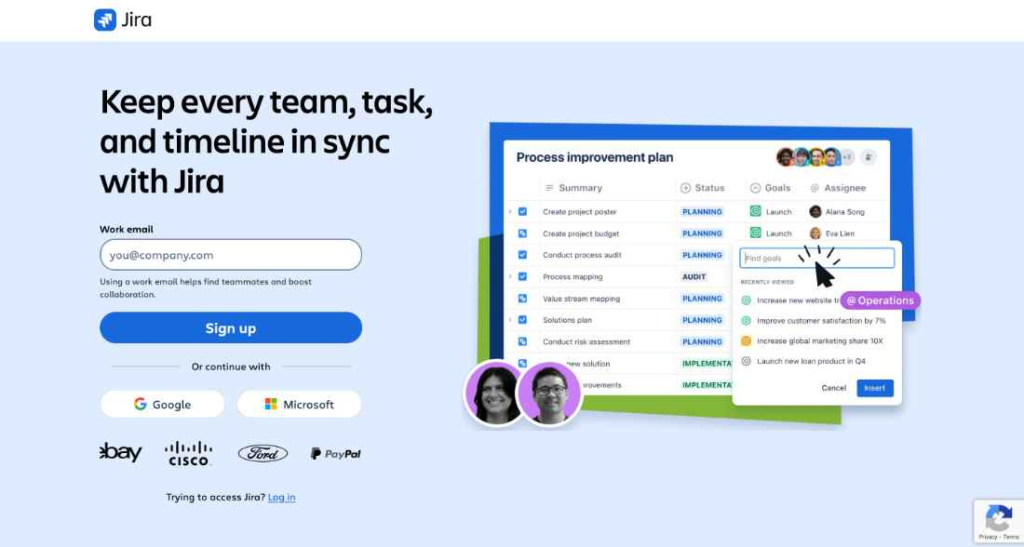
Mention Jira in a room full of engineers and you’ll probably hear a few groans alongside nods of respect. It has a reputation for being a bit heavy and complex, but honestly, nothing touches it when you need to manage massive, multi-team projects.
Whether your team runs strict Scrum, loose Kanban, or something in between, Jira lets you map out roadmaps, track edge-case bugs, and organize backlog sprints with surgical precision. Once you tune it to your workflow, it’s a powerhouse.
- Best for: Complex Agile workflows, detailed bug tracking, and large engineering teams.
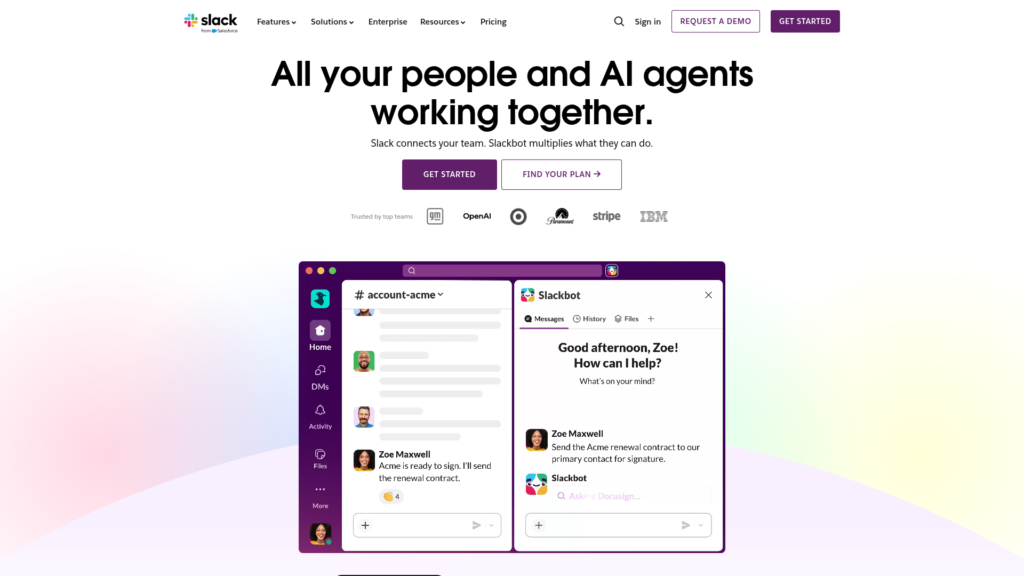
5. Slack
Slack is the virtual watercooler where work actually gets talked through. Through organized channels, devs can hash out database architecture, trade quick tips, or figure out why a test suite suddenly went red.
What makes Slack essential for developers is its insane integration ecosystem. You can route GitHub updates, server crash alerts, and build notifications straight into team channels. That way, when a critical error hits production, the right people know instantly and can jump into a huddle.
- Best for: Daily team chatter, quick huddles, and real-time system alerts.
6. Microsoft Teams
If your company runs on Microsoft 365, Teams is likely where you hang out. It bundles team chat, video calls, and document sharing into one corporate package.
Engineers using Teams can set up channels for specific features, jump on a video call for morning standups, and collaborate on technical spec sheets saved in SharePoint without constantly alt-tabbing between apps.
- Best for: Enterprise companies, cross-department meetings, and Microsoft-heavy shops.
7. Notion
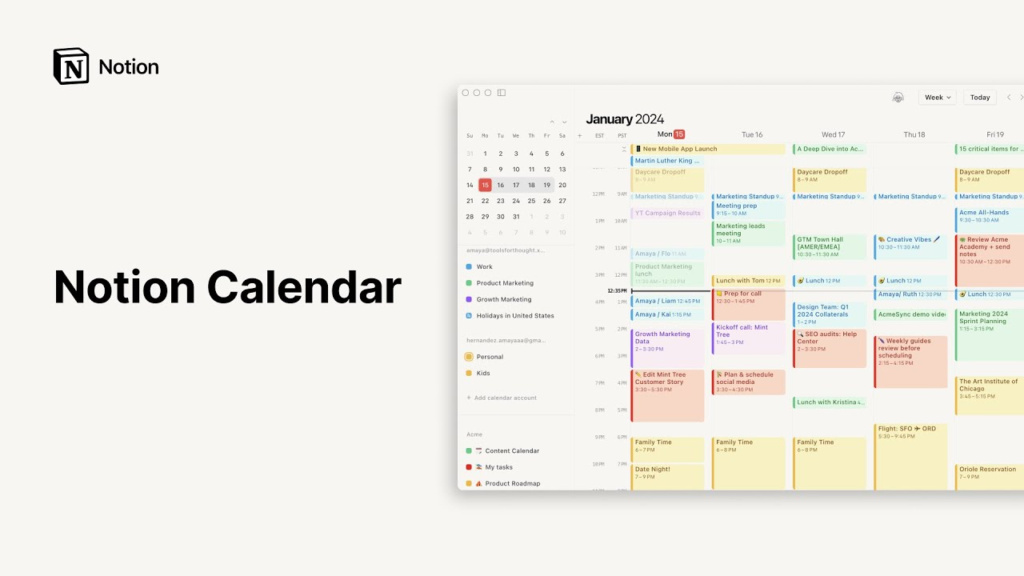
Notion has won over a ton of product teams because it feels lightweight, modern, and flexible. It mixes regular document writing with flexible block editors, databases, and simple task lists.
For software teams, Notion is a fantastic home for living technical docs, product requirement documents (PRDs), onboarding guides, and team wikis. It turns plain text into organized, searchable knowledge bases that don’t make your eyes glaze over.
- Best for: Clean documentation, team knowledge bases, and flexible wikis.
8. Linear
Linear was built by people who clearly got frustrated with slow, bloated project management software. It is shockingly fast, minimalist, and built heavily around keyboard shortcuts.
Linear cuts out the clutter and lets developers log bugs, attach pull requests, and update issue statuses in seconds. It gets out of your way so you can get back to writing code—which is why fast-moving startup teams absolutely adore it.
- Best for: High-speed product teams that want a clean, lightning-fast issue tracker.
9. ClickUp
ClickUp tries to be the “one app to replace them all.” It combines task management, docs, goal tracking, and time logs into a single customizable dashboard.
Dev teams use ClickUp to plan feature roadmaps, manage sprint tasks, track who has bandwidth, and store project notes side-by-side. If your cross-functional team wants one platform for both developers and non-technical folks, ClickUp is a solid contender.
- Best for: All-in-one task management across engineering, marketing, and design.
10. Trello
Trello keeps things dead simple. Based on the traditional Kanban board layout—with simple cards moving across columns like To Do, In Progress, and Done—it takes about two minutes to learn.
It doesn’t have deep code integrations out of the box, but that’s kind of the point. For small teams, side projects, or quick visual task tracking, Trello’s straightforward drag-and-drop board just works.
- Best for: Simple visual task tracking, small teams, and quick side projects.
11. Confluence

Confluence is Atlassian’s heavy-duty documentation hub. It’s where engineering teams document system architectures, write API references, draft post-mortems, and store company-wide operational guides.
Because it connects directly with Jira, you can embed live tickets, sprint progress bars, and release notes right into your technical pages. That way, your documentation stays updated instead of becoming a digital ghost town.
- Best for: In-depth technical specs, enterprise knowledge bases, and corporate documentation.
12. Visual Studio Code
VS Code is mostly known as a top-tier code editor, but its collaboration features make it feel like a shared workstation. Thanks to extensions like Live Share, developers can pair-program together in real time directly inside their editor.
Instead of just watching someone share their screen on a video call, two devs can edit code, run terminal commands, and debug together in the exact same workspace. It makes remote pair programming feel genuinely collaborative.
- Best for: Live pair-programming, real-time debugging, and interactive code reviews.
13. Figma
Figma might be a design platform, but it’s become an incredible bridge between UI/UX designers and frontend engineers. Developers can jump into Figma files to inspect component padding, grab CSS snippets, export visual assets, and check layout details.
Instead of playing telephone over how a button should look or feel, developers and designers can drop comments directly on mockups. It saves everyone from awkward post-implementation re-works.
- Best for: Bridging the gap between designers and frontend developers.
14. Miro
Miro is a giant digital whiteboard with infinite canvas space. It gives distributed teams a place to sketch, sticky-note, and doodle together just like they were standing in front of a real whiteboard in an office conference room.
Software teams use Miro to map out system architecture, plot user flows, run sprint retrospectives, and host visual brainstorming sessions when launching brand new initiatives.
- Best for: Visual architecture planning, system mapping, and remote retrospectives.
15. Zoom
Even if you’re a die-hard fan of typing out updates asynchronously, sometimes talking face-to-face for five minutes beats typing back-and-forth for two hours. Zoom is still the go-to for quick, reliable video chats and screen sharing.
When a production incident hits or a complex architectural debate stalls out, jumping on a quick Zoom call lets developers share screens, sketch out ideas, and solve problems together in real time.
- Best for: Quick face-to-face syncs, screen-sharing debug sessions, and team demos.
Realistic Tool Stack Comparison

Here’s a practical, no-nonsense look at how these tools fit together across a typical software development lifecycle:
| Tool | What It Does Best | Human Vibe Check | Who It’s Really For |
| GitHub | Code Hosting & PRs | The absolute industry standard; feels like home | Pretty much every developer on earth |
| GitLab | All-in-One DevOps | Serious, structured, and powerful | DevOps engineers & enterprise teams |
| Bitbucket | Atlassian Git Hosting | Super convenient if you already use Jira | Corporate teams wrapped in Atlassian |
| Jira | Deep Agile Management | Heavyweight champion; takes work to configure | Mid-to-large engineering departments |
| Slack | Real-Time Chat | The virtual office hallway; noisy if unmanaged | Remote teams needing quick chatter |
| MS Teams | Enterprise Messaging | Corporate-friendly, built for big meetings | Enterprises hooked on Office 365 |
| Notion | Flexible Docs & Wikis | Super clean, customizable, and pleasant to use | Startups & modern product teams |
| Linear | High-Speed Bug Tracking | Snappy, keyboard-driven, zero fluff | Fast-moving, developer-centric teams |
| ClickUp | Multi-Tool Workspace | Tries to do everything; flexible but broad | Hybrid teams wanting one app for all |
| Trello | Digital Sticky Notes | Simple, friendly, zero learning curve | Freelancers, small teams & simple tasks |
| Confluence | Enterprise Tech Specs | Serious documentation that ties to tasks | Corporations needing structured wikis |
| VS Code | Collaborative Editor | Feels like coding side-by-side on the couch | Pair-programmers & remote collaborators |
| Figma | Design Inspection | Kills the guess-work in UI handoffs | Frontend engineers working with designers |
| Miro | Endless Whiteboard | Casual visual sketching for complex ideas | Architecture planners & retrospective hosts |
| Zoom | Face-to-Face Video | Best for when typing back and forth isn’t cutting it | Any team needing real-time alignment |
How to Build a Stack Your Team Won’t Hate

It’s dangerously easy to collect apps like trading cards. But piling on seven new tools at once just gives your team extra log-in screens and a mountain of distracting notifications. Your tools should serve your workflow—not the other way around.
When picking your stack, keep these simple, human rules in mind:
1. Keep It Simple at the Start
If you’re a small team or a young startup, don’t over-engineer your process. You don’t need an enterprise-grade ticket system or a massive corporate wiki. A code host (GitHub), a clean bug tracker (Linear), and a chat app (Slack) are more than enough to ship great software fast. Scale up your tools only when your team actually grows out of them.
2. Respect Asynchronous Communication
If your teammates live across different time zones, forcing everyone onto live video calls or demanding instant replies in chat is a recipe for frustration. Give your team the freedom to answer when it fits their focus hours.
- Write clear, thoughtful notes in Notion or Confluence instead of dropping vague ideas in chat.
- Leave context-rich comments on pull requests in GitHub or GitLab.
- Record quick screen walk-throughs so colleagues can review them on their own schedule.
3. Minimize App-Switching Fatigue
Every time a developer stops coding to switch windows, search for a task ID, copy-paste a link, and log a status change, they lose momentum. It takes real mental effort to get back into the coding flow after a distraction.
Pick tools that automatically talk to one another. When a GitHub pull request merge automatically closes a Linear task and drops a quick update into a Slack channel, your developers can spend their energy doing what they were hired to do: writing awesome software.
4. Don’t Ignore Basic Security
Your code and technical specs are the lifeblood of your company. Keeping things accessible for your team shouldn’t mean leaving the digital doors unlocked. Make sure whatever tools you pick support simple, essential security like Single Sign-On (SSO), Role-Based Permissions, and Two-Factor Authentication (2FA) right out of the gate.
Collaboration Tools 2026: Work Better Together With Smart Tools
Modern work is no longer limited to people sitting in the same office. Teams Collaboration…

Productivity 2026: Smart Strategies to Work Better & Faster
Being productive doesn’t mean filling every minute of the day with work. In 2026, productivity…

Tech Insights 2026: Latest Technology Trends & Innovations
Technology is no longer something that simply runs in the background. Tech Insights It is…

Remote Work Guide 2026: How to Stay Productive and Organized
Working remotely in 2026 isn’t just about sitting at your kitchen Remote Work Guide 2026:…

AI Tool Battles 2026: Compare the Best Tools Head-to-Head
You read a landing page, and it sounds incredible. You sign up, hand over your…

15 Smart Technology Trends to Watch in 2026
Smart technology is no longer just about connected devices—it is becoming the foundation of how…
Frequently Asked Questions
1. What’s the absolute must-have tool for software teams?
Hands down, a solid Git-based code platform like GitHub or GitLab. It handles version control, code reviews, and central code storage—without it, working together on code is nearly impossible.
2. How do small teams stop notification overload?
Stick to 3 core tools (e.g., GitHub, Linear, Slack), mute non-essential channel notifications, and encourage teammates to write clear async docs instead of pinging people for every tiny update.
3. Should we pick an all-in-one tool or a few specialized ones?
All-in-one platforms (like GitLab or ClickUp) mean fewer subscriptions and simpler setups. Specialized tools (like Linear or VS Code Live Share) usually offer a much smoother, faster experience for specific tasks. Go with whatever matches your team’s daily pace.
4. How do these tools help remote teams working in different time zones?
They let people drop context-rich PR reviews, write searchable technical specs, and log issue updates asynchronously. That way, a developer in Tokyo can seamlessly pick up right where a colleague in London left off.